To see past, present, and future commission rates of your publishers:
- Click on the "Commission" Tab
- Select "Commission Manager"
- Click on the "Timeline" tab
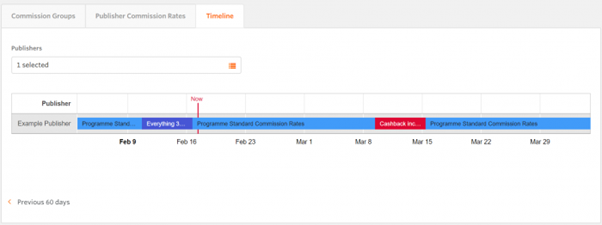
You can select the publisher(s) to see a timeline view of colored bars which indicates the rates that each publisher is on throughout the calendar timeline. Program Standard Commission Rates are always blue, while other commission rates will be other colors to show the different rates.
If you change the rates during a schedule, the schedule will be split in two in order to show the schedule with the old rates and the schedule with the new rates.
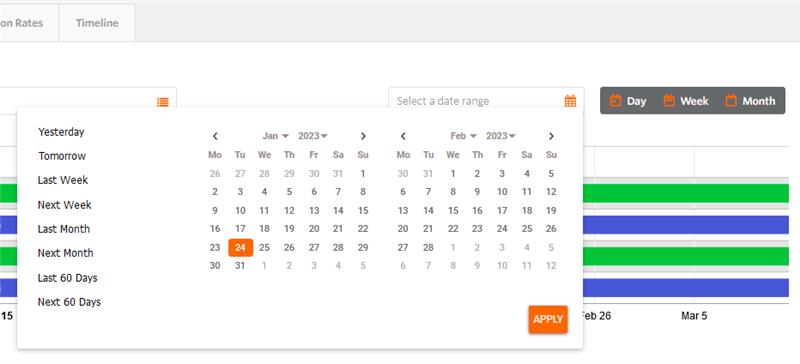
You have the ability to select To and From date (limited to 60 days) in the date range section which enables you to see all of the scheduled commission rates.
You can see past, current, and future rates for your publishers by clicking on the “Previous” and “Next” icons at the bottom of the page.
Hover over the bars to see more details like name, start and end dates, and the range of commission. Click on the rates to see detailed information for each commission group. You can also edit rates from this view.